

Project Zomboid
Project Zomboid Build 42 Update (Stable): Release Date, New Features, & More
Posted on by justin
Almost two years ago, Project Zomboid introduced Build 42 to the Unstable branch. This major update enhanced the zombie apocalypse survival meta to the next level. The developers have officially announced that this build will soon be released to the Stable branch. So, keep reading, as we enter the dawn of a new era for Knox County survivors with Project Zomboid Build 42 Stable.
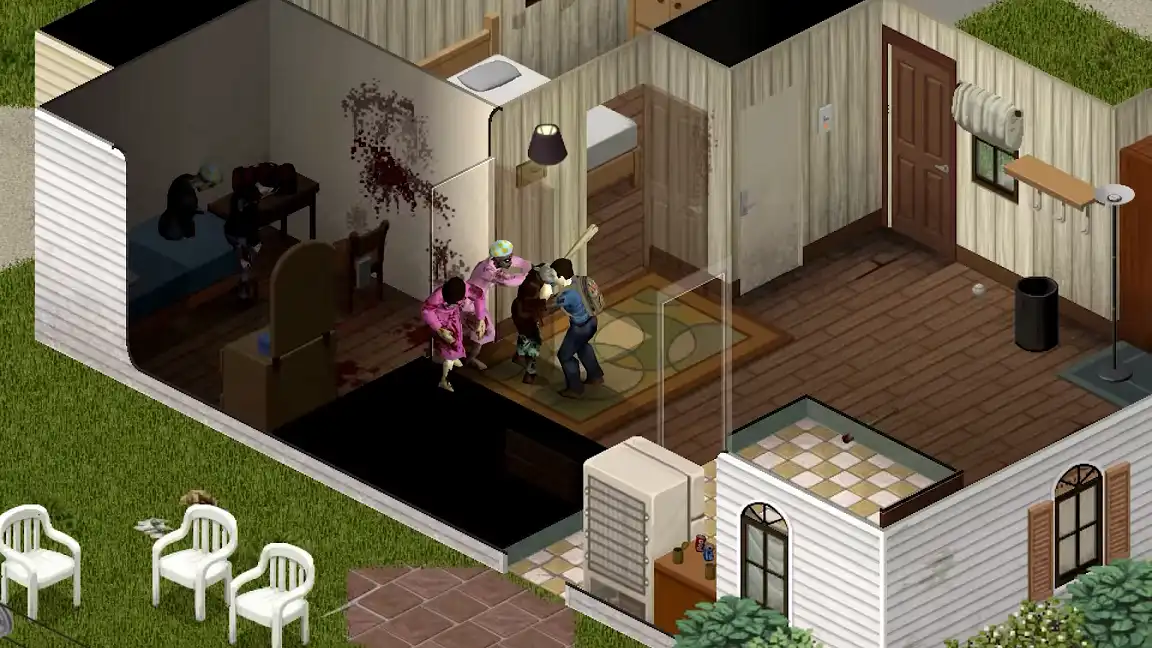 Project Zomboid Build 42, also known as Version 42.20, will be released to the Stable public branch on Wednesday, July 29. This date marks the end of a long period of uncertainty for the core player base and the start of a feature-rich, stable era for the beloved zombie apocalypse survival title. To commemorate this milestone, developer The Indie Stone unveiled a new trailer, which you can watch below:


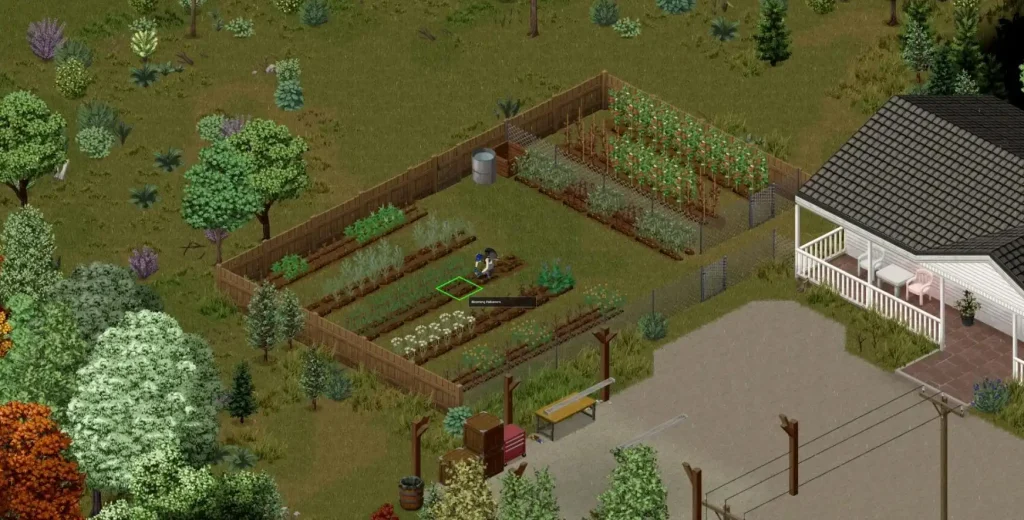 Additionally, YouTube user MrAtomicDuck recently interviewed The Indie Stone’s Design Director, Christian Allen. One of the key points mentioned in the conversation was about the ambitious glow-up plan for the entire Project Zomboid map, and changes from Unstable to Stable release.
Some of the key points mentioned are the following:
Additionally, YouTube user MrAtomicDuck recently interviewed The Indie Stone’s Design Director, Christian Allen. One of the key points mentioned in the conversation was about the ambitious glow-up plan for the entire Project Zomboid map, and changes from Unstable to Stable release.
Some of the key points mentioned are the following:
Project Zomboid Build 42 Release Date (Stable Version)
Project Zomboid Build 42, also known as Version 42.20, will be released to the Stable public branch on Wednesday, July 29. This date marks the end of a long period of uncertainty for the core player base and the start of a feature-rich, stable era for the beloved zombie apocalypse survival title. To commemorate this milestone, developer The Indie Stone unveiled a new trailer, which you can watch below:
What’s New in Project Zomboid Build 42 Version 42.20?
The core of Project Zomboid Build 42 brings a plethora of new features meticulously tested in the Unstable branch. Survivors can look forward to new locations and underground areas, including basements and other structures. Version 42.20 also introduces a new, more realistic lighting system that creates atmospheric yet perilous nights. Arguably, one of the most notable inclusions in Build 42 is a reworked crafting system. Once this major update goes live, survivors can choose a host of reworked post-apocalyptic professions, such as the Blacksmith, DIY Expert (previously known as Repairman), and Rancher (previously known as Livestock Farmer). Speaking of the Rancher occupation, players can make their bases come alive through animal husbandry. Survivors can raise various animals, including cows, pigs, and chickens. Wild animals, such as deer and rabbits, can now also be hunted. Aside from introducing new features, Project Zomboid Build 42 also focuses on polishing the core zombie apocalypse survival experience. The developers have been hard at work addressing critical issues identified during the unstable period. With that, players can expect significant fixes and improvements in Version 42.20. These solutions include improvements to character spawns to ensure a more balanced and fair start. The developers also mentioned in their announcement that they’re hard at work on improving controller support. Build 42 for the Project Zomboid Stable branch will also include features not present in its Unstable counterpart. However, information regarding these additions is still kept behind closed doors, at the time of writing. Nonetheless, players can expect better performance and additional modding support with the release of this major update.What Happens To Build 41?
By default, Build 41.78 remains the current stable version of Project Zomboid before V42.20 is released. For players who wish to continue their Build 41 experience, they may do so by following these steps:- 1. Log in to your Steam account and navigate to the “Library” tab.
- 2. Right-click “Project Zomboid” on the left sidebar, and choose “Properties” from the context menu.
- 3. In the Properties window, choose “Game Versions & Betas” from the left sidebar.
- 4. Select “legacy41” from the list.
Build 41 and Build 42 Save Files
Normally, it’s impossible to transfer Build 41 save files to Build 42, as one isn’t compatible with the other. With that, players are urged to start a new world in Build 42. The good news is that Build 41 save files remain locally after switching to Build 42. This means that you can still load your Build 41 world if you decide to return to the legacy41 beta branch.Multiplayer Implications
With the arrival of Build 42.20 on July 29, this momentous event also marks a significant transition for server communities. For instance, this major patch addresses important issues, including zombie culling in multiplayer Project Zomboid servers. However, administrators must prepare their servers for the transition, ensuring all clients are on the same branch.How Server Owners Should Prepare for Build 42 Stable Release
Server administrators should start their preparations by allocating adequate resources for the new build. Consider a clean server reinstall when moving to the new Stable version to reduce the risk of errors and glitches that may persist from previous builds. But remember to back up all existing save data before updating.New Content Arriving In Version 42.20
Aside from the previously mentioned inclusions, Build 42.20 adds many new buildings and tiles. Survivors can expect about 400 procedural basements and 75 hand-built basements. These subterranean sections should also feature new décor, such as posters and lighting. There are also new POIs, such as an abandoned orphanage, a boy scout camp, and a new prison. Two new challenge scenarios, “Top of the World” and “28 Seconds Later,” will also become available.Design Director Interview Confirms Further Direction for B42
Additionally, YouTube user MrAtomicDuck recently interviewed The Indie Stone’s Design Director, Christian Allen. One of the key points mentioned in the conversation was about the ambitious glow-up plan for the entire Project Zomboid map, and changes from Unstable to Stable release.
Some of the key points mentioned are the following:
Comprehensive Map Overhaul Strategy
Spearheading this massive project was overwhelmingly positive player feedback from Build 42 Unstable’s testing in Muldraugh. This map overhaul aims to elevate visual quality across Knox County, enhancing details across all existing towns. The first batch of locations to receive the new aesthetics includes Rosewood, Riverside, West Point, Fallas Lake, Muldraugh, and Ekron. Future updates will bring the same treatment to Brandenburg, Louisville, Irvington, and the lake region.Individualized Building Design
Many Knox County survivors noticed that various establishments, especially abandoned residences, received the “copy-paste” treatment. Although this strategy helped save time and effort in developing the landscape, visiting each establishment may sometimes feel monotonous. With Build 42.20 for the Project Zomboid Stable branch, the development team abandoned this philosophy, treating every structure as unique. Each house, yard, and parking lot now features different layouts, fencing arrangements, and potential access points.Town Identity and Environmental Storytelling
Along with making each structure unique, the developers also aimed to remove “dead zones” in open spaces. Once known as empty lots, these areas now possess distinct character and purpose. For example, some backyards may contain leftover alcohol bottles, telling a story that some people were having fun before the apocalypse hit. Each major location also received a visual and functional reimagining to reflect its core features. For instance, Riverside has characteristics and structures that echo its being a wealthy town. On the other hand, West Point also has new features that highlight its blue-collar industrial community, centered on the AMZ steel factory.Nomadic Gameplay Expansion
One of the core elements of Project Zomboid’s survival experience is the nomadic lifestyle. Oftentimes, survivors must transfer bases because their current headquarters have become unlivable due to circumstances such as sudden zombie hordes. Supplementing this way of life is a map expansion westward. Players can use their vehicles for long-distance travel to points of interest (POIs) west of the map. Additionally, resources are being distributed more strategically across towns. For instance, West Point now offers more fishing gear than Muldraugh. This move incentivizes exploration and rewards players who venture beyond their starting areas.Louisville’s Future Development
While many players call for more underground areas, Louisville currently has none. Nonetheless, the development team took note of this detail and is now developing a sewer system to provide alternate travel through the massive city. Rooftop traversal is also being expanded, albeit ladder mechanics are still in development. Once released, the city should feel like a genuine metropolis, with ambitions that may far exceed previous patches.responseTitle
responseCount responseOkayLabel
 responsePerfectLabel
 responseLovedLabel