
About three years have passed since the release of Build 41 for Project Zomboid. Now, players can play an unstable version of Build 42 for this beloved zombie apocalypse sandbox survival simulator. So, keep reading to learn how to play Project Zomboid Build 42 and all its currently available offerings.
 Before playing Project Zomboid Build 42, players must understand that it's still unstable. That means that various bugs and issues might still be present. Additionally, some key features, especially multiplayer, are disabled while Build 42 is active. Players must also start a new game since Build 41 save files aren’t compatible with Build 42.
Also, Project Zomboid Build 42 isn't available for the game's Mac version at the time of writing. Playing this build with a SteamDeck or gamepad is also not ideal, as some incompatibility concerns may arise.
After understanding these risks and still want to continue playing Project Zomboid Build 42, follow the steps below:
Before playing Project Zomboid Build 42, players must understand that it's still unstable. That means that various bugs and issues might still be present. Additionally, some key features, especially multiplayer, are disabled while Build 42 is active. Players must also start a new game since Build 41 save files aren’t compatible with Build 42.
Also, Project Zomboid Build 42 isn't available for the game's Mac version at the time of writing. Playing this build with a SteamDeck or gamepad is also not ideal, as some incompatibility concerns may arise.
After understanding these risks and still want to continue playing Project Zomboid Build 42, follow the steps below:
How to Play Project Zomboid Build 42 Unstable
Before playing Project Zomboid Build 42, players must understand that it's still unstable. That means that various bugs and issues might still be present. Additionally, some key features, especially multiplayer, are disabled while Build 42 is active. Players must also start a new game since Build 41 save files aren’t compatible with Build 42.
Also, Project Zomboid Build 42 isn't available for the game's Mac version at the time of writing. Playing this build with a SteamDeck or gamepad is also not ideal, as some incompatibility concerns may arise.
After understanding these risks and still want to continue playing Project Zomboid Build 42, follow the steps below:
- 1. Log into your Steam account through the Steam app
- 2. Navigate to your game library and right-click on Project Zomboid at the left sidebar
- 3. Select “Properties” from the context menu and navigate to the “Betas” tab
- 4. Choose the “Unstable” branch from the dropdown menu
How to Play Multiplayer in Project Zomboid Build 42 Unstable
For a long time, Project Zomboid Build 42 didn't have multiplayer as an option. Thanks to the more recent Build 42.13, however, multiplayer is now available! Now, once you've hopped into the unstable build, you'll simply join friends the way you normally would within the stable builds of the game. While you and your friends can now easily enjoy Build 42 together, it is worth remembering that the build is still unstable. As a result, you may encounter bugs, crashes, connection issues, and other problems. These are the recommended guidelines to follow while joining a multiplayer server on the unstable build to keep your game running as smoothly as possible:- Disable Debug and Mods
- Disable Ragdoll physics
- Play only in co-op or on whitelisted servers
- Do not have more than 20 player slots on dedicated servers
- Make backups of your saves in case of any crashes
Project Zomboid Build 42 Unstable Features
The launch of Project Zomboid Build 42 brings various new content, features, and improvements that players can try out. These new offerings include the following:- Expanded map, new towns, and locations
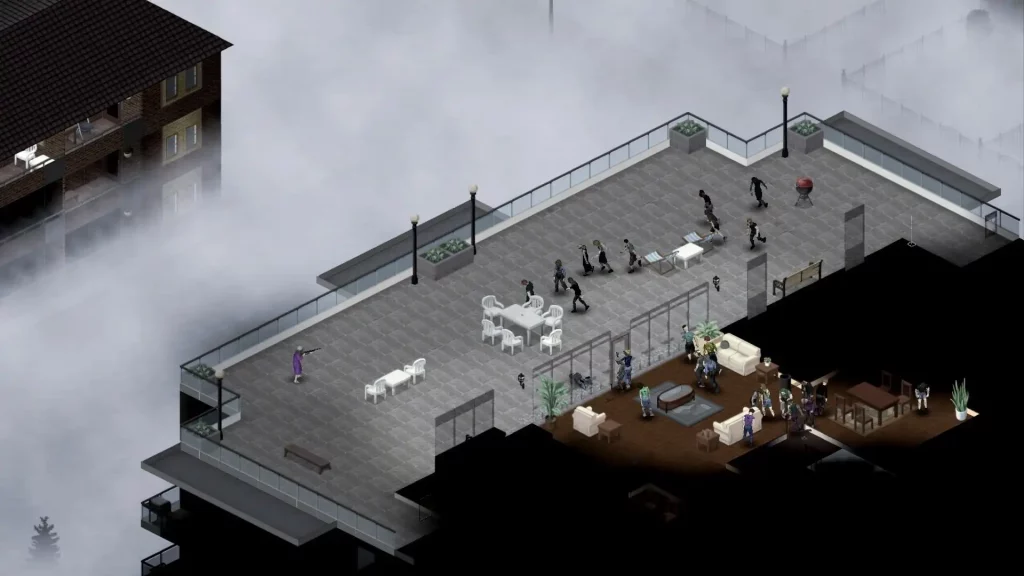
- Underground areas, basements, and high-rise buildings
- New lighting system and darker nights
- Various performance optimizations
- Animal husbandry – cows, pigs, sheep, and chickens
- Wild animals – deer, rats, and rabbits
- New fishing mechanic
- Expanded lore – Newspapers, flyers, new TV, and radio
- New build menu
- Initial crafting – New UIs, surface crafting, pottery, and blacksmith tech trees
- Improved agriculture/crops
- Dynamic music
- Player vocals
- New clothes, containers, weapons, and world objects
- Better UI scaling
- Randomized wilderness and biomes
- New grass
- Basic tracking and hunting
- Improved gunplay
- New seated animations
- Corpse dragging and window chucking
- More Romero-like zombie spawn locations
- Improved sneak and combat balance
- Environmental story improvement
- Expanded crafting, skills, and professions
- Improved hunting
- Breakable metal fences
- Multiplayer reintroduced
- Raccoons
Build 42 Known Issues
The developers were also kind enough to mention the current known issues of Project Zomboid Build 42. These concerns help players understand and expect what might happen as they play the game with this build. With that, the known issues for Build 42 are as follows:Ballistics System
- Shooting at crawlers / on stairs with the new aim system is problematic. This will be addressed in the New Year.
- Rare game crash during heavy usage of the M16 (fixing this is a top priority)
Crafting
- Search bar ignores selected categories
- Recipes can use Items instead of values (e.g., hunger values)
- Batteries can behave oddly
Build Menu
- Tile properties for new player build constructions need to be set up, some moveables can’t be picked up etc.
- Players can’t disassemble moveable objects and reclaim resources
GrappleTech
- Clipping and minor animation issues while picking up or dropping corpses, dragging on stairs, and throwing corpses over window frames and fences
- Improvements required for turning animation while grabbing, and arm overtwist while dragging and turning.
- Shoving animation currently plays after dropping corpses.
General
- Some missing 3D models and icons for items
- Not currently able to look around while seated
- Some animal pathfinding bugs present (e.g., animals can walk through closed gates)
- Liquids UI improvements needed
- Some hitching while dragging/zooming the new spawn map.
- Further balance is required for sneaking in different weather and darkness conditions
responseTitle
responseCount responseOkayLabel
 responsePerfectLabel
 responseLovedLabel