thumbnail
breadCrumbs
Minecraft

Five Online Minecraft Tools to Bookmark in 2025

Posted on by amber
The internet is full of many hidden treasures, including useful Minecraft tools that require no download! Today, we explore a few such examples in five must bookmark online Minecraft tools.
Five Online Minecraft Tools to Bookmark in 2025

5: Circle Generator

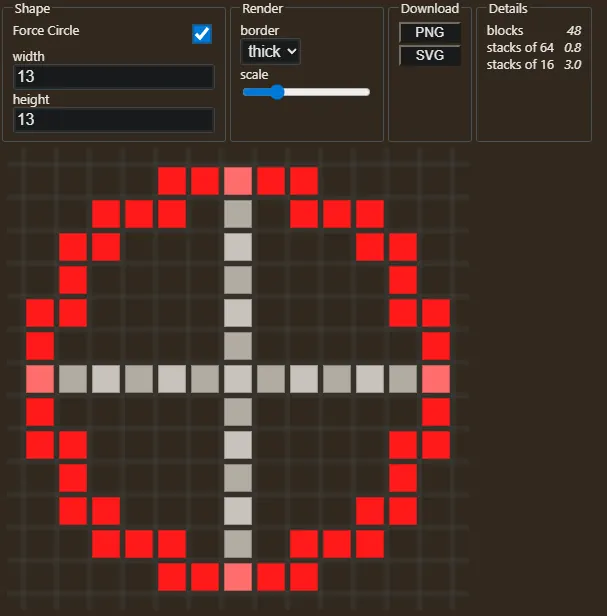
Online Minecraft Tools: Circle Generator Screenshot In a game of cubes, circles are hard to build. However, with Pixel Circle Generator, builds that utilize circles and ovals can be planned with complete and accurate ease. No more making charts by hand or accidentally being off by one block. Simply input the type of circle or oval that is desired and follow the picture it generates.

4: Block Converter

Online Minecraft Tools: Block Converter Example Screenshot Another exciting tool for building is the block converter, capable of turning image files and models into Minecraft blocks, essentially transporting them right into the game. The converted files are displayed in a 3D Minecraft environment, which can be navigated and edited right from the browser. And, further yet, the site offers the option to export these newly created builds as schematic files, which can then be added to your server using World Edit or shared on Bloxelizer for others to use.

3: Command generator

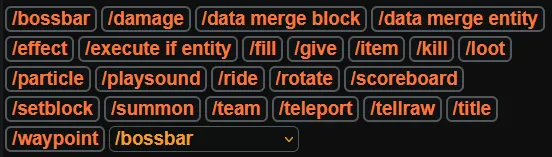
Online Minecraft Tools: Command Generator Screenshot Java Edition is filled with useful commands, but not all of them are easy to understand. Thankfully, with a command generator, the learning curve is skipped by simply filling in what it requests and entering the command it generates. Three popular examples available on the website are scoreboards, boss bars, teams, and many more. Those who already know how to use the commands will also find use in this tool simply for the time it saves and the errors it helps avoid.

2: Skin Editor

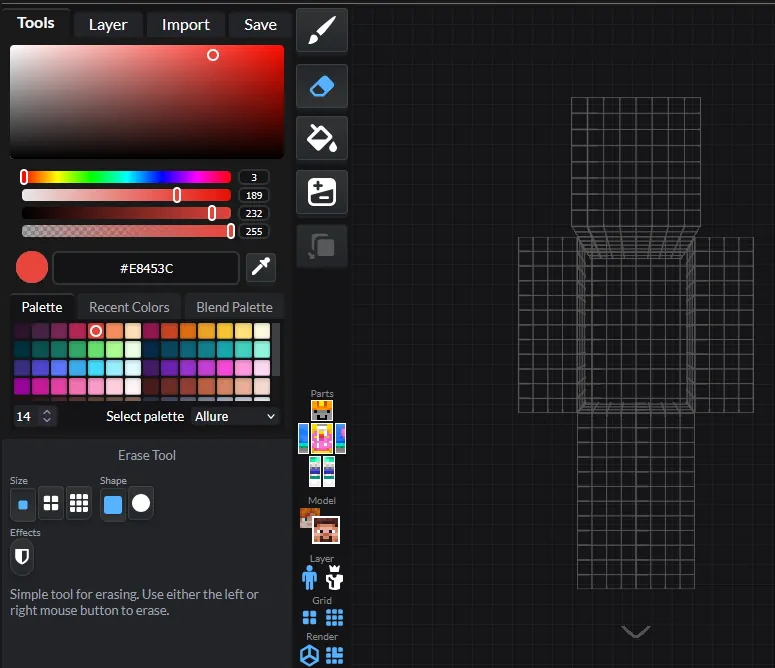
Minecraft Skin Editor Screenshot
  • Site Name: Miners Need Cooler Shoes
  • Link: Skin Editor
Custom skins are one of the best ways to express yourself in-game, especially if it is one you edited or made. Typically, this would require some sort of image editor alongside the know-how of where the pixels in the image actually appear on the skin. However, using this website, you can instead view a 3D model and edit it directly with the many tools it provides. The ability to import existing skins and edit them or outright create new ones has never been easier.

1: Seed Map

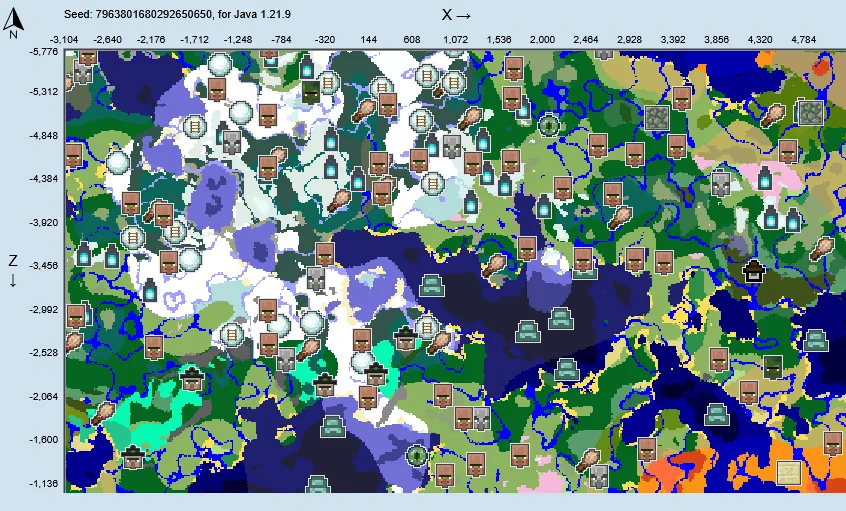
Minecraft Seed Map Screenshot Finally, we have seed map, one of the most useful tools ever created for Minecraft! After inputting a seed, a world map generates with every biome, structure, and even ore vein. This not only makes exploration for rarer structures and biomes easy, but it also serves as a way to get a general idea for a world before committing. After all, not many like those ocean island starts.
sidebar.1stCardTitle

createServerContent

sidebar.2ndCardTitle

sidebar.4thCardTitle

sidebar.5thCardTitle

sidebar.5thCardContent

sidebar.5thCardJoinBtnLabel
sidebar.6thCardTitle

createServerTitle

createServerContent

responseTitle

responseCount
It's okayresponseOkayLabel
It's okayresponsePerfectLabel
It's okayresponseLovedLabel