

Bouncing near and far, sulfur cubes are taking Minecraft by storm! They even come complete with their own music disc, but obtaining it is easier said than done. So, today, we explore how to get the bounce music disc in Minecraft as quickly as possible.
 Bounce by Fingerspit is a music disc that was added in Minecraft 26.2 Chaos Cubed alongside five new in-game tracks by the same artist. All the tracks by Fingerspit, including Bounce, can be listened to for free on YouTube, here. As for the actual in-game music disc, it is black with sparse yellow pixels across the top alongside a sulfuric yellow rim and center reminiscent of sulfur cubes.
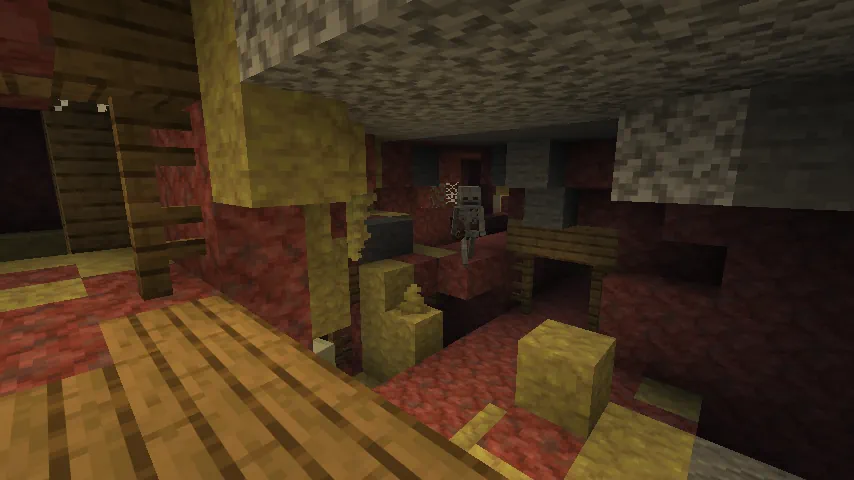 The Bounce music disc has a chance to be found in the chests of abandoned mineshafts, but only if the abandoned mineshaft has generated within a sulfur caves biome. This unfortunately means that even if an abandoned mineshaft is found in a sulfur caves biome, there is no guarantee that a chest with Bounce will be present.
To maximize your chances of finding this rare music disc, we recommend flying across the overworld in search of geysers. These indicate that a sulfur cave biome has generated below, allowing for them to be quickly explored before moving on. Sadly, Minecraft does not offer any vanilla tools or items that specifically locate this structure and biome combo, making how long it takes to find them a matter of luck.
The Bounce music disc has a chance to be found in the chests of abandoned mineshafts, but only if the abandoned mineshaft has generated within a sulfur caves biome. This unfortunately means that even if an abandoned mineshaft is found in a sulfur caves biome, there is no guarantee that a chest with Bounce will be present.
To maximize your chances of finding this rare music disc, we recommend flying across the overworld in search of geysers. These indicate that a sulfur cave biome has generated below, allowing for them to be quickly explored before moving on. Sadly, Minecraft does not offer any vanilla tools or items that specifically locate this structure and biome combo, making how long it takes to find them a matter of luck.
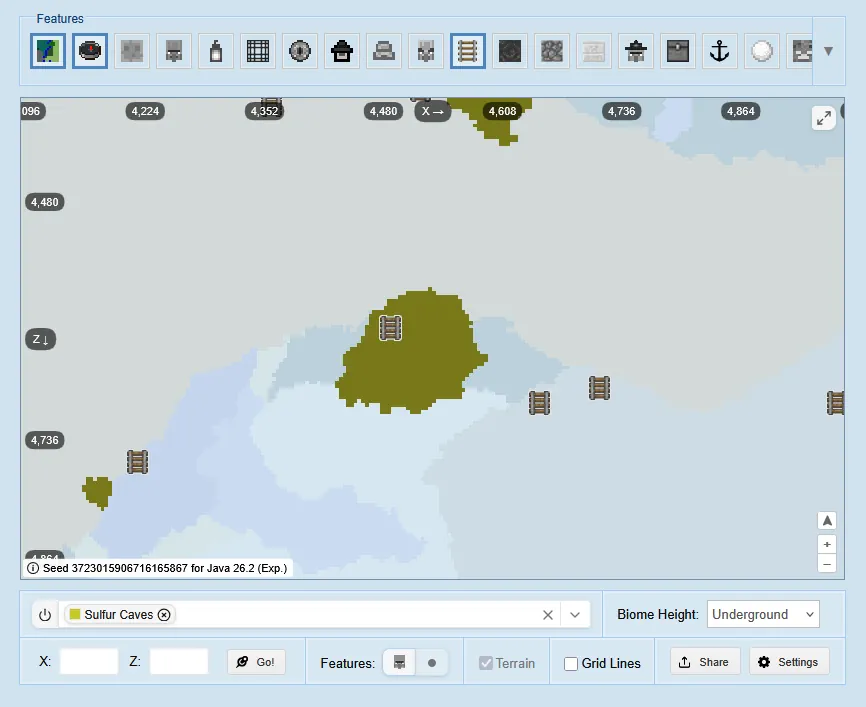 Those who don’t mind using third-party tools can alternatively use the online seed map by chunk base to help locate mineshafts in sulfur cave biomes across any world. Simply enter a seed, filter out every structure but Mineshafts, and set the highlighted biome to sulfur caves and biome height to underground. A quick look around the map is all it takes after that.
Bounce by Fingerspit
How to Get the Bounce Music Disc in Minecraft
The Bounce music disc has a chance to be found in the chests of abandoned mineshafts, but only if the abandoned mineshaft has generated within a sulfur caves biome. This unfortunately means that even if an abandoned mineshaft is found in a sulfur caves biome, there is no guarantee that a chest with Bounce will be present.
To maximize your chances of finding this rare music disc, we recommend flying across the overworld in search of geysers. These indicate that a sulfur cave biome has generated below, allowing for them to be quickly explored before moving on. Sadly, Minecraft does not offer any vanilla tools or items that specifically locate this structure and biome combo, making how long it takes to find them a matter of luck.
Third-Party Tools
Those who don’t mind using third-party tools can alternatively use the online seed map by chunk base to help locate mineshafts in sulfur cave biomes across any world. Simply enter a seed, filter out every structure but Mineshafts, and set the highlighted biome to sulfur caves and biome height to underground. A quick look around the map is all it takes after that.responseTitle
responseCount responseOkayLabel
 responsePerfectLabel
 responseLovedLabel