

Minecraft
Minecraft 26.2 Chaos Cubed Update: Release Date, Patch Notes, New Features, & More
Posted on by amber
Minecraft 26.2 Chaos Cubed has bounced its way into the live game! Here we cover all of the confirmed details of Minecraft Chaos Cubed, including the Minecraft 26.2 Chaos Cubed release date, patch notes, and how you too can try it early with a simple install.
 Minecraft 26.2 Chaos Cubed went live on Java Edition and Bedrock Edition on June 16th, 2026!
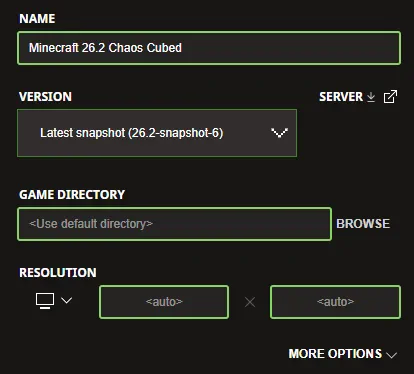 Upon the release of Minecraft 26.2 Chaos Cubed, both Java Edition and Bedrock Edition clients will automatically update as soon as they are opened. But why wait when you can try it today? The latest Minecraft 26.2 Chaos Cubed snapshot can be installed inside the Minecraft Launcher just before clicking play. Below, we have detailed every step to help get you right into the game.
 Sulfur cube minigames are better with friends! Minecraft 26.2 Chaos Cubed servers can be created for free through home hosting, but we recommend paid hosting options for ease of use and performance. Especially with new releases, as they can be buggy!
Paid hosting is offered here at BisectHosting and many other places around the web. In either case, no less than 4GB of server RAM is recommended.
Sulfur cube minigames are better with friends! Minecraft 26.2 Chaos Cubed servers can be created for free through home hosting, but we recommend paid hosting options for ease of use and performance. Especially with new releases, as they can be buggy!
Paid hosting is offered here at BisectHosting and many other places around the web. In either case, no less than 4GB of server RAM is recommended.
Minecraft 26.2 Chaos Cubed Release Date
Minecraft 26.2 Chaos Cubed went live on Java Edition and Bedrock Edition on June 16th, 2026!
What's New in the Minecraft 26.2 Chaos Cubed Update?
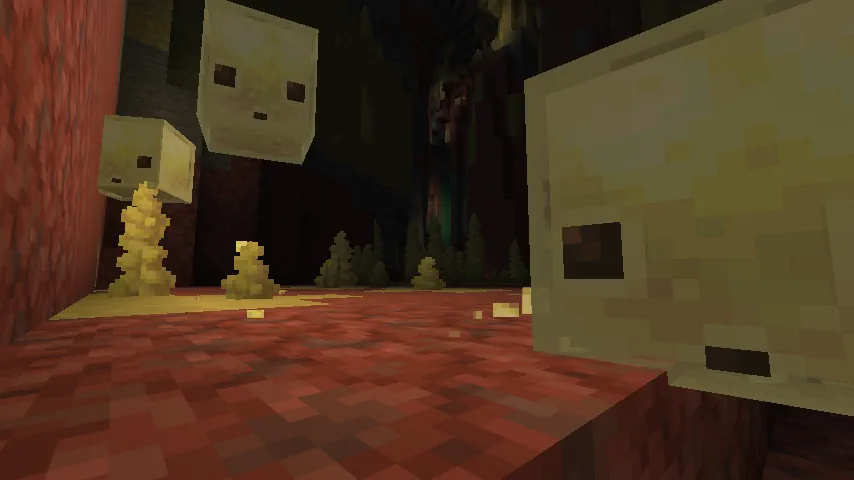
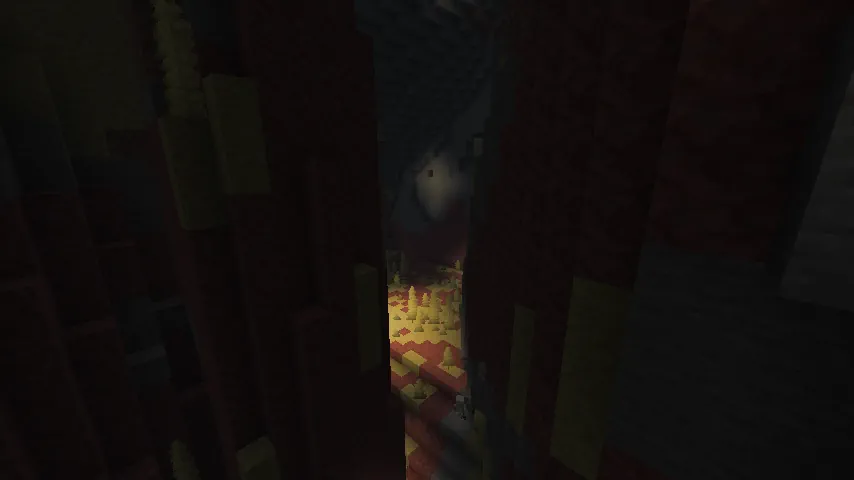
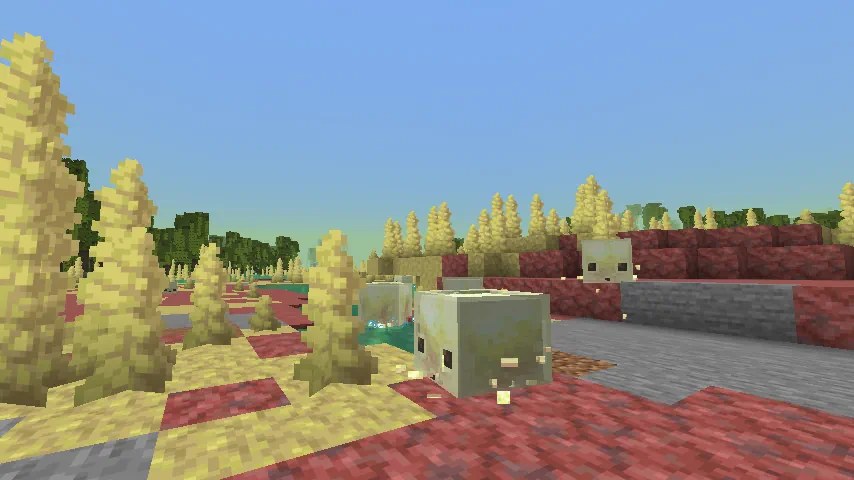
Sulfur Caves
- Location: Overworld
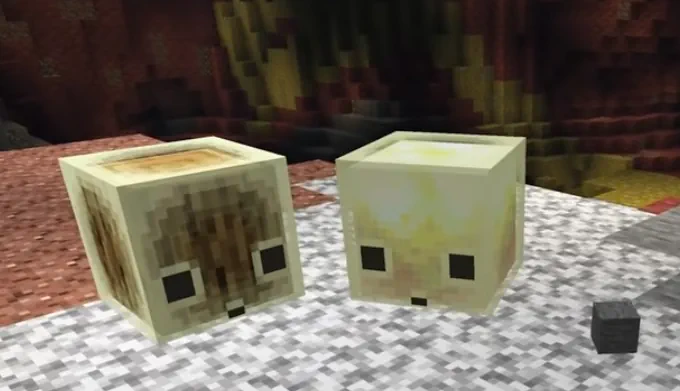
Sulfur Cubes
- Location: Sulfur Caves Biome
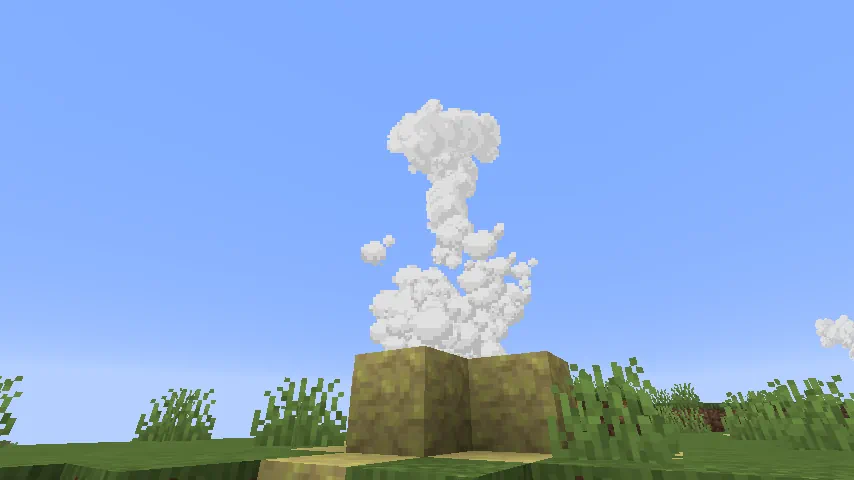
Geysers
- Location: Overworld (Any Surface Biome) & Sulfur Caves Biome
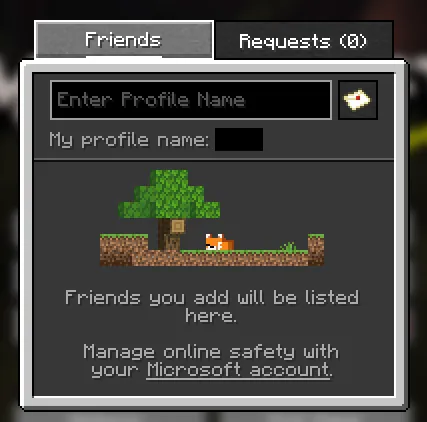
Java Friends List
- Location: Main Menu
How to Install Minecraft Chaos Cubed
Upon the release of Minecraft 26.2 Chaos Cubed, both Java Edition and Bedrock Edition clients will automatically update as soon as they are opened. But why wait when you can try it today? The latest Minecraft 26.2 Chaos Cubed snapshot can be installed inside the Minecraft Launcher just before clicking play. Below, we have detailed every step to help get you right into the game.
- Open the Minecraft Launcher and select Java Edition.
- Enable snapshots under the ‘Installations’ tab.
- If a new installation called “Latest Snapshot,” represented by a dirt block, is now present, that can be used immediately to start playing. Otherwise, proceed with step four.
- Click ‘New Installation’
- Select ‘Latest Snapshot’ in the drop-down menu.
- Click ‘Install.’
Minecraft 26.2 Patch Notes (FINAL)
New Features
- Added the Sulfur Cube mob
- Added the Sulfur Caves biome
- Added the Cinnabar and Sulfur block sets
- Added the Sulfur Spike and Potent Sulfur block
- Added a new Music Disc featuring "Bounce" by fingerspit
- Added five new music tracks by fingerspit
- Added the Friends List
- Added new Friends List settings in Online Options
- Added experimental Vulkan rendering support
- Added the Graphics API video setting
- Added language support for:
- Swiss French
- Chuvash
- Gallo
- Uzbek
- Võro
Sulfur Cube
Overview
- Added the Sulfur Cube mob
- Spawns in Sulfur Caves
- Can absorb blocks and take on new physical properties based on the absorbed block
Block Absorption
When a player interacts with a Sulfur Cube while holding a block:
- The Sulfur Cube absorbs the block
- Its AI is disabled
While a block is absorbed:
- The Sulfur Cube becomes a physical object
- Does not take fall damage
- Does not take player damage
- Can be punched and pushed
- Takes on an archetype based on the absorbed block
Using Shears on an absorbed Sulfur Cube:
- Removes the absorbed block
- Re-enables Sulfur Cube AI
Behavior
- Follows players holding absorbable blocks
- Searches for nearby block items and attempts to absorb them
- Splits into two smaller Sulfur Cubes when killed
- Small Sulfur Cubes can be fed Slime Balls to grow into large Sulfur Cubes
- Large Sulfur Cubes can be collected with an empty Bucket
- Cannot enter Boats
- Can ride Minecarts
Dispenser Interactions
Dispensers can:
- Insert blocks into Sulfur Cubes
- Swap absorbed blocks
- Remove blocks using Shears
- Spawn Sulfur Cubes from Buckets of Sulfur Cube
Additional Notes
- Pufferfish are not scared by Sulfur Cubes
Sulfur Cube Archetypes
Each archetype changes:
- Movement speed when hit
- Bounciness
- Ground friction
- Air drag
- Liquid buoyancy
Regular
- Medium speed
- Medium bounciness
- Medium ground friction
- Low air drag
- Buoyant
Used for:
- Loose mineral blocks
- Soil blocks
Bouncy
- Fast speed
- High bounciness
- Medium ground friction
- Low air drag
- Buoyant
Used for:
- Wooden blocks
Slow Bouncy
- Slow speed
- High bounciness
- Medium friction
- Medium air drag
Used for:
- Stone-like blocks
Slow Flat
- Slow speed
- Low bounciness
- Medium friction
- Medium air drag
Used for:
- Metal blocks
Fast Flat
- Fast speed
- Low bounciness
- Medium friction
- Low air drag
Used for:
- Organic blocks
Light
- Slow speed
- High bounciness
- Medium friction
- High air drag
- Buoyant
Used for:
- Wool blocks
Fast Sliding
- Fast speed
- No bounciness
- Low ground friction
- Low air drag
Used for:
- Ice blocks
Slow Sliding
- Slow speed
- No bounciness
- Low ground friction
- Low air drag
Used for:
- Shroom blocks
Special Archetypes
High Resistance
- Very slow movement
- Low drag
- Low bounce
- High friction
Used for:
- Soul Sand
- Soul Soil
Sticky
Properties:
- Based on Fast Flat
- Extremely high friction
- No bounce
Used for:
- Honeycomb Blocks
Explosive
Properties:
- Similar to Regular
- Slightly higher air drag
Used for:
- TNT
TNT Behavior
- Can be primed by:
- Redstone
- Fire sources
- Dispenser with Flint and Steel
- Nearby explosions
Fuse timing:
- Fire or Redstone: 6 seconds
- Explosion trigger: random between 0.75 and 3 seconds
Restrictions:
- Cannot be collected with a Bucket while primed
- Cannot be sheared while primed
- Does not split into smaller Sulfur Cubes after exploding
Hot
Properties:
- Same as Regular
- Damages entities on contact
Used for:
- Magma Blocks
Sulfur Caves
Overview
- New underground biome
- Generates naturally underground
- Contains bands of Sulfur and Cinnabar
- Spawns:
- Sulfur Cubes
- Cave Spiders
- Contains Sulfur Pools with Potent Sulfur
Sulfur Spring
Generation
- Generates naturally above Sulfur Caves
Composition
Contains:
- Sulfur
- Potent Sulfur
- Magma Blocks
Size Variants
- Small
- Medium
- Large
- Extra Large
Cinnabar and Sulfur Block Sets
New Block Families
Added:
- Cinnabar block set
- Sulfur block set
Each includes:
Polished Variants
- Block
- Slab
- Stair
- Wall
Brick Variants
- Block
- Slab
- Stair
- Wall
Decorative Blocks
- Chiseled Cinnabar
- Chiseled Sulfur
Potent Sulfur
Generation
- Generates naturally in Sulfur Cave water pools
Water Effects
- Produces bubbles up to 4 water source blocks above
- Creates nausea-inducing gas clouds when submerged beneath water
Gas cloud behavior:
- Spreads through adjacent water
- Maximum radius: 3 blocks
Crafting
- Crafted from 9 Sulfur Blocks
Geysers
Potent Sulfur forms geysers when:
- Placed above Magma or Lava
- Covered by 1–4 Water Source Blocks
Magma-Powered Geysers
- Erupt at random intervals
- Launch water particles upward
- Propel entities upward
Lava-Powered Geysers
- Erupt continuously
- Produce quieter eruption sounds
Sculk Interaction
Geyser eruptions emit detectable game events:
- Eruption start
- Eruption end
How to Make Minecraft 26.2 Chaos Cubed Servers
Sulfur cube minigames are better with friends! Minecraft 26.2 Chaos Cubed servers can be created for free through home hosting, but we recommend paid hosting options for ease of use and performance. Especially with new releases, as they can be buggy!
Paid hosting is offered here at BisectHosting and many other places around the web. In either case, no less than 4GB of server RAM is recommended.responseTitle
responseCount responseOkayLabel
 responsePerfectLabel
 responseLovedLabel