(Estimated Read Time: 2 minutes)
Just two days after
Minecraft 1.20.3 appeared, Minecraft 1.20.4 is already here! So, today, we explore the Minecraft 1.20.4 update, the reason it suddenly went live, and what players will find inside.
Details and Adjustments
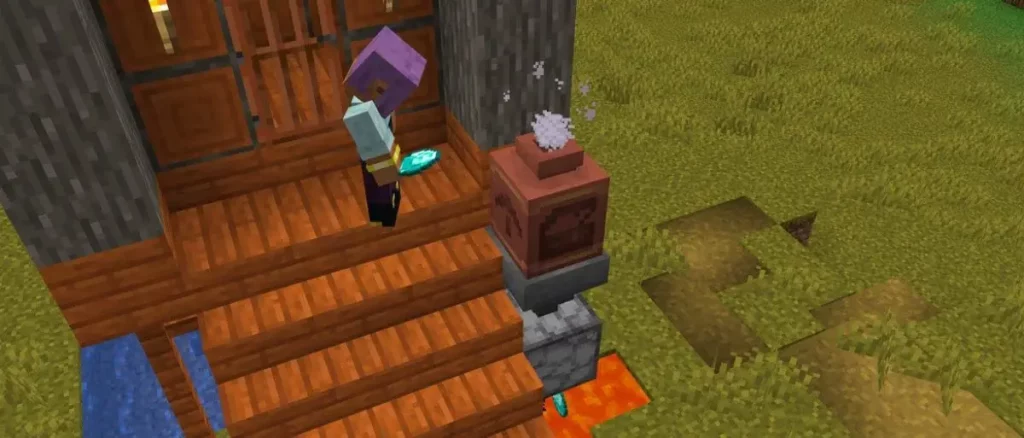
Despite usually adding a new feature or two, Minecraft 1.20.4 contains only one change. It turns out
decorated pots were deleting items players placed inside, which explains why this update was released with such haste!
Patch Notes
FIXED BUGS IN 1.20.4
- MC-267185: Decorated pots can delete items when reloading the world
How to Install Minecraft 1.20.4
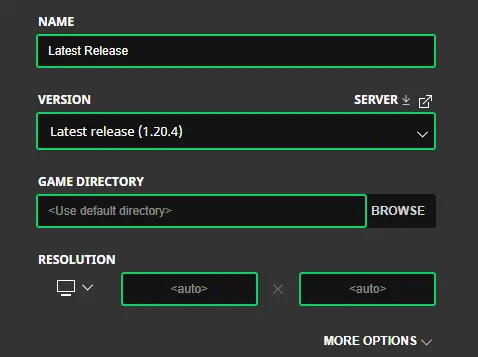
Players using the standard
Java Edition client will find the update applied automatically upon clicking play. However, in the unfortunate case that something goes awry, the steps below will help create a new installation of 1.20.4.
- Open the “Installations” tab.
- Click "New Installation."
- Select "Latest Release" in the drop-down menu.
- Click create.
With those steps followed, a new installation should now be a selectable option before clicking play.
As this update shows, new releases can world corrupting and game breaking bugs!
Ensure backups have been taken.
How to make Minecraft 1.20.4 Servers

One bug fix is as good as any reason to start a new server with friends! Minecraft 1.20.4 servers can be created for free through
home hosting, but we recommend
paid hosting options for ease of use and performance. Especially with new releases, as they can be buggy!
Paid hosting is offered here at
BisectHosting and many other places around the web. In either case, no less than 4GB of server RAM is recommended.
A Sudden Update's End
The speed at which Mojang fixed this bug was amazing to see, but we can’t help but feel bad for the unlucky players who lost something in between. This is why we recommend backups with every update, no matter how simple they may seem.
Until Next Time,
BisectHosting =)

 responseOkayLabel
 responsePerfectLabel
 responseLovedLabel