
Creators are an important part of any community, and the Hytale team’s support for theirs is already well underway in the form of Hytale creator codes. So, today, we explore how to obtain, use, and find a Hytale creator code alongside what exactly it entails.
 Hytale Creator Codes are short one-word codes provided by the Hytale development team to Hytale content creators. Fans of these content creators can then choose to use the code at checkout to give 5% of the purchase to the owner of the code. This allows fans to support both Hytale and their favorite creators at the same time. Down the line, the cut creators will get from these codes is confirmed to be increasing to 7%, but no date has been provided.
It is important to note that these are not promotion codes, and no discount is provided for using them. They exist purely to help support your favorite Hytale creators.
Hytale Creator Codes are short one-word codes provided by the Hytale development team to Hytale content creators. Fans of these content creators can then choose to use the code at checkout to give 5% of the purchase to the owner of the code. This allows fans to support both Hytale and their favorite creators at the same time. Down the line, the cut creators will get from these codes is confirmed to be increasing to 7%, but no date has been provided.
It is important to note that these are not promotion codes, and no discount is provided for using them. They exist purely to help support your favorite Hytale creators.
 Those looking to obtain a creator code of their very own must first apply to the Creator Program by emailing “creators@hytale.com”. The Hytale team requests that applicants include as much information as possible about the Hytale content they create, alongside where they do it. Content creators who do not yet make Hytale content but plan to do so can also apply.
In either case, they have said the vetting process for applicants can take some time, so there may be a significant wait for replies.
Those looking to obtain a creator code of their very own must first apply to the Creator Program by emailing “creators@hytale.com”. The Hytale team requests that applicants include as much information as possible about the Hytale content they create, alongside where they do it. Content creators who do not yet make Hytale content but plan to do so can also apply.
In either case, they have said the vetting process for applicants can take some time, so there may be a significant wait for replies.
 Creator codes can be used at checkout while purchasing Hytale by entering the code into the small box beneath “Creator Code”. While only speculation at this time, these codes will likely function similarly to Fortnite’s creator codes when Hytale is more complete, allowing them to be used for in-game purchases as well.
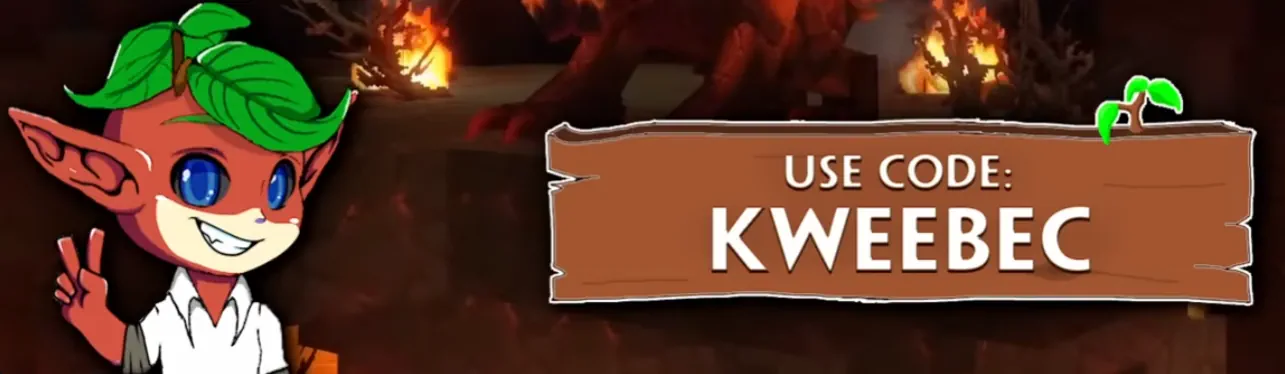 Some content creators have already obtained their creator codes! Below we have listed all those that we could find. If we are missing any, please let us know, and we'll regularly update!
What Are Hytale Creator Codes?
Hytale Creator Codes are short one-word codes provided by the Hytale development team to Hytale content creators. Fans of these content creators can then choose to use the code at checkout to give 5% of the purchase to the owner of the code. This allows fans to support both Hytale and their favorite creators at the same time. Down the line, the cut creators will get from these codes is confirmed to be increasing to 7%, but no date has been provided.
It is important to note that these are not promotion codes, and no discount is provided for using them. They exist purely to help support your favorite Hytale creators.
How to Apply for a Hytale Creator Code
Those looking to obtain a creator code of their very own must first apply to the Creator Program by emailing “creators@hytale.com”. The Hytale team requests that applicants include as much information as possible about the Hytale content they create, alongside where they do it. Content creators who do not yet make Hytale content but plan to do so can also apply.
In either case, they have said the vetting process for applicants can take some time, so there may be a significant wait for replies.
How to Use a Creator Code
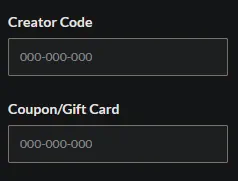
Creator codes can be used at checkout while purchasing Hytale by entering the code into the small box beneath “Creator Code”. While only speculation at this time, these codes will likely function similarly to Fortnite’s creator codes when Hytale is more complete, allowing them to be used for in-game purchases as well.
Confirmed Hytale Creator Codes
Some content creators have already obtained their creator codes! Below we have listed all those that we could find. If we are missing any, please let us know, and we'll regularly update!
- KweebecCorner: KWEEBEC
- Violet: VIOLET
- Chippy: chippy
- AntVenom: antvenom
- Myne: myne
- Canadianflash: FLASH
- Reddoons: Red
- InTheLittleWood: INTHELITTLEWOOD
- Olegro: OLEGRO
- Big Dude: bigdude
- Jahirah87: Jahirah87
responseTitle
responseCount responseOkayLabel
 responsePerfectLabel
 responseLovedLabel