

On Earth, autumn comes once a year, but in Minecraft, players need to find a rare biome for it to appear! So, today, we answer how to find dappled forest biomes in Minecraft both with and without commands.
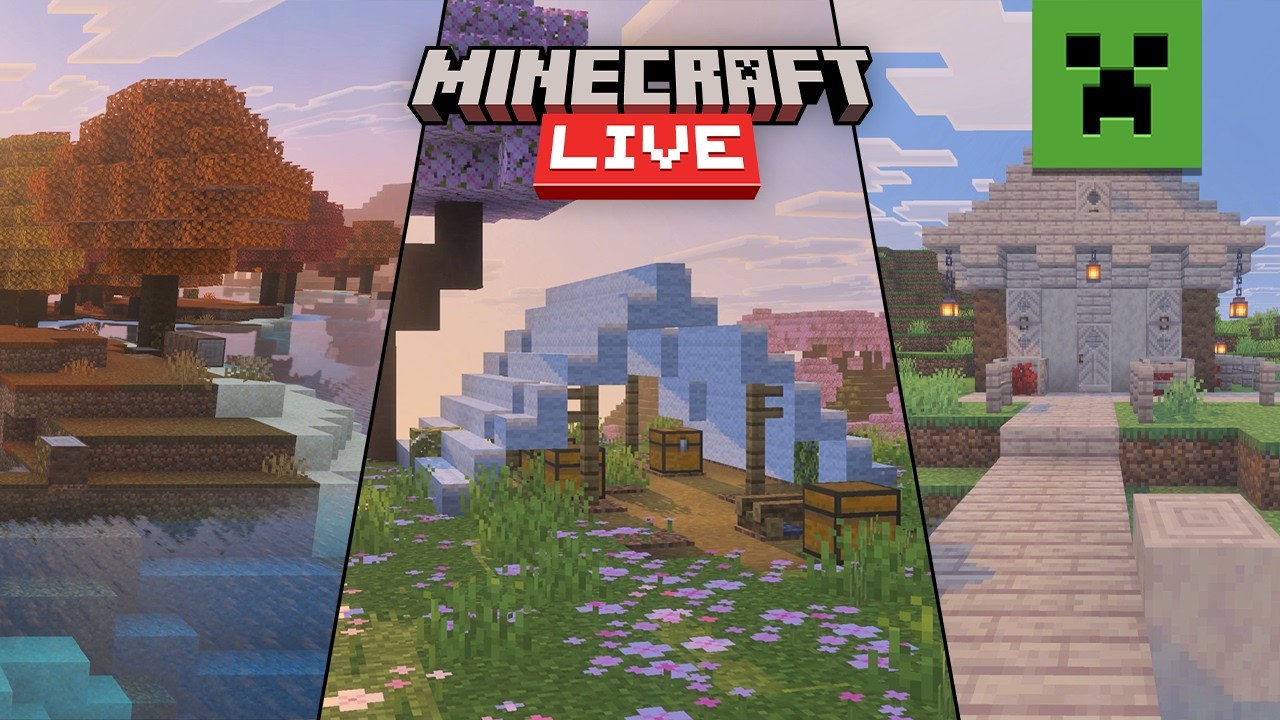
 First showcased at Minecraft Live TwitchCon 2026 and later added in Minecraft 26.3, dappled forest biomes are a forest where it is autumn year-round. Inside are poplar trees with orange, red, or yellow leaves, red shrubs, and shelf mushrooms on fallen logs. The grass is also orange in color, matching the fall tones. All together, it creates the perfect biome for autumn lovers and Halloween builds.
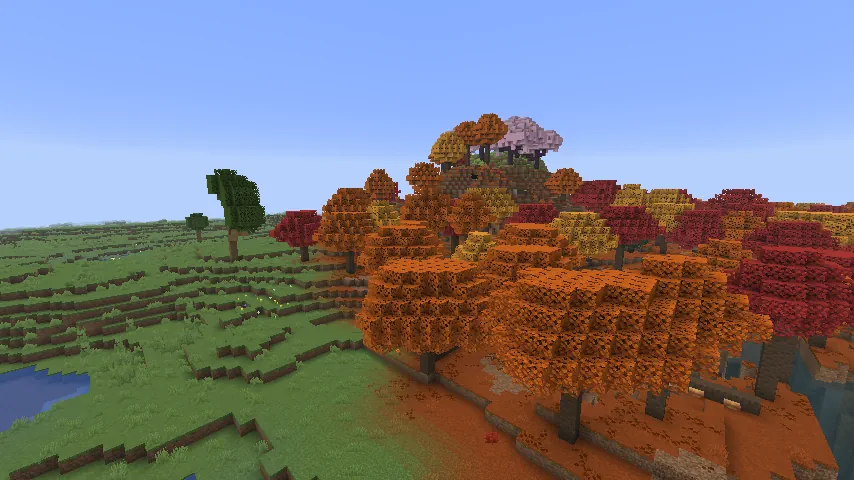
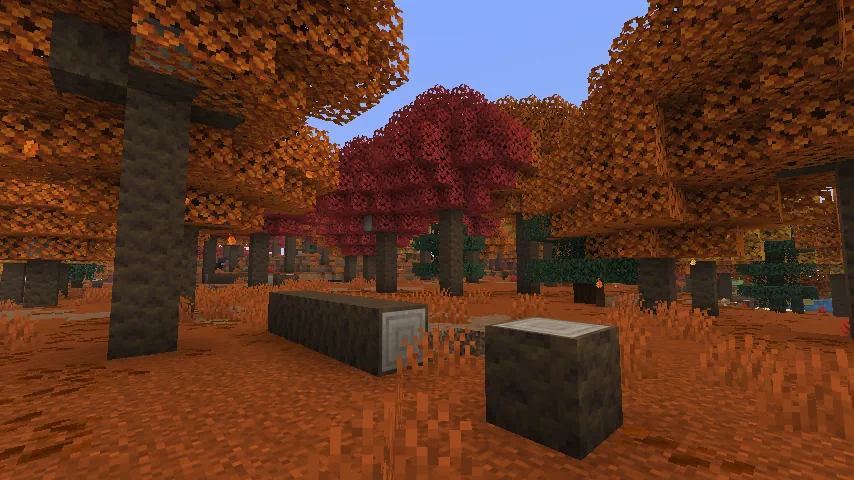 Dappled forests are a fairly rare biome that can vary greatly with each encounter. Some may be flat and very similar to that of forests, while others can cover mountainsides all the way up to the icy peaks. There can even be some that are a combination of both! As for the size, each dappled forest can be drastically different, with smaller examples being a couple of trees and larger ones spanning hundreds upon hundreds of blocks.
 Dappled forests generate in areas with low humidity and high weirdness values. For this reason, those searching for them will have the best luck looking around the borders of plains, sunflower plains, and cherry blossom biomes. They also tend to generate near mountains with frozen peaks. Biomes to avoid during the search are any with wooded forests, as dappled forests do not tend to generate next to them.
Sadly, nothing in vanilla gameplay can directly point to a dappled forest as of 26.3, but persistence and exploration across cold biomes will eventually pay off with the reward of a cool autumn breeze.
Dappled forests generate in areas with low humidity and high weirdness values. For this reason, those searching for them will have the best luck looking around the borders of plains, sunflower plains, and cherry blossom biomes. They also tend to generate near mountains with frozen peaks. Biomes to avoid during the search are any with wooded forests, as dappled forests do not tend to generate next to them.
Sadly, nothing in vanilla gameplay can directly point to a dappled forest as of 26.3, but persistence and exploration across cold biomes will eventually pay off with the reward of a cool autumn breeze.
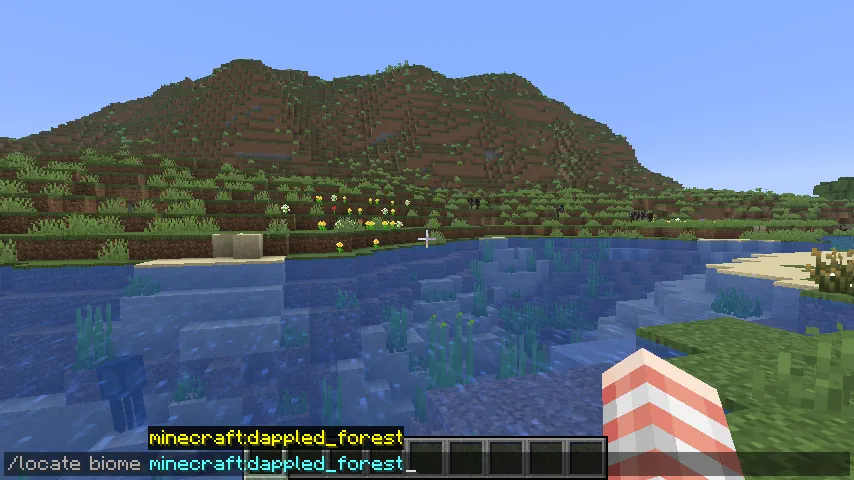 In cases of bad luck, or simply if preferred, there is always the option of using the “/locate” command. This nifty tool provides the exact coordinates of the nearest biome (or structure) of the desired type, and by clicking the numbers, teleports you right there.
The full command is as follows:
In cases of bad luck, or simply if preferred, there is always the option of using the “/locate” command. This nifty tool provides the exact coordinates of the nearest biome (or structure) of the desired type, and by clicking the numbers, teleports you right there.
The full command is as follows:
A Summary of Dappled Forests
How to Find Dappled Forest Biomes in Minecraft
Dappled Forest Generation
Dappled forests are a fairly rare biome that can vary greatly with each encounter. Some may be flat and very similar to that of forests, while others can cover mountainsides all the way up to the icy peaks. There can even be some that are a combination of both! As for the size, each dappled forest can be drastically different, with smaller examples being a couple of trees and larger ones spanning hundreds upon hundreds of blocks.
Finding Dappled Forests Without Commands
Dappled forests generate in areas with low humidity and high weirdness values. For this reason, those searching for them will have the best luck looking around the borders of plains, sunflower plains, and cherry blossom biomes. They also tend to generate near mountains with frozen peaks. Biomes to avoid during the search are any with wooded forests, as dappled forests do not tend to generate next to them.
Sadly, nothing in vanilla gameplay can directly point to a dappled forest as of 26.3, but persistence and exploration across cold biomes will eventually pay off with the reward of a cool autumn breeze.
Finding Dappled Forests with Commands
In cases of bad luck, or simply if preferred, there is always the option of using the “/locate” command. This nifty tool provides the exact coordinates of the nearest biome (or structure) of the desired type, and by clicking the numbers, teleports you right there.
The full command is as follows:
- /locate biome Minecraft:dappled_forest
responseTitle
responseCount responseOkayLabel
 responsePerfectLabel
 responseLovedLabel