

Other
Dune: Awakening Update 1.2.40.0 Patch Notes: New Features, Character Transfers, & More
Posted on by cade-davie
Bless the Maker and all His Water, fellow Fremen. Dune: Awakening newest patch, update 1.2.40.0, is here! This isn't the biggest content update to the game, but it has brought a significant feature: Dune: Awakening character transfers. So let's dive into its patch notes!
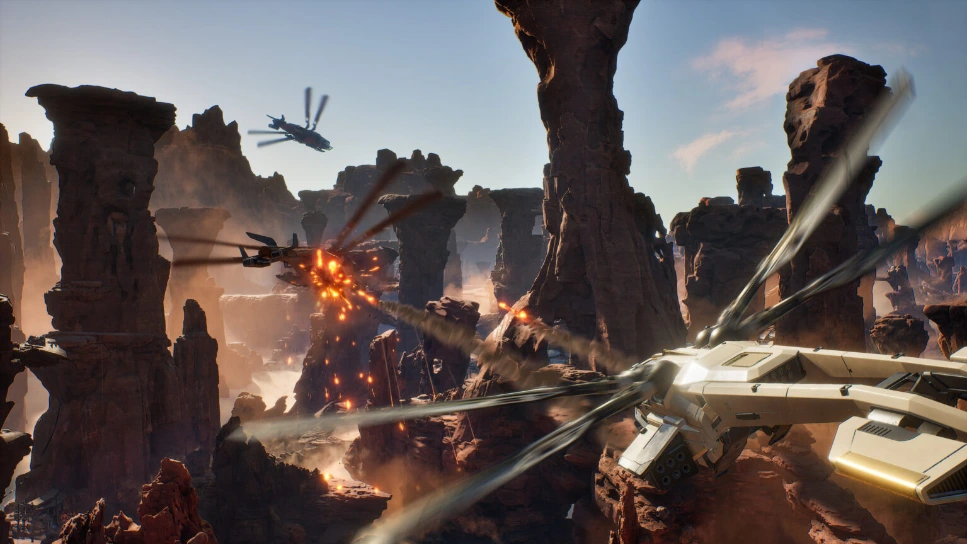 After requests from fans and plenty of waiting, Dune: Awakening update 1.2.40.0 has brought full character transfers. Now, you can send any character, their inventory, your bases, vehicles, and even bank contents to a new world. This is a huge upgrade for players that love to hop from world to world or server to server and play with others. Now, you can join your friends in any file without having to create an entirely new character!
Of course, that isn't all the update has brought with it. Various fixes and changes have been made to resource management, building, crafting, vehicles, and the game's UI. Again, this isn't the largest update that Dune: Awakening has released, but there are some worthwhile fixes. One, for example, makes it much harder to accidentally delete your backed up bases when using the Base Reconstruction Tool.
After requests from fans and plenty of waiting, Dune: Awakening update 1.2.40.0 has brought full character transfers. Now, you can send any character, their inventory, your bases, vehicles, and even bank contents to a new world. This is a huge upgrade for players that love to hop from world to world or server to server and play with others. Now, you can join your friends in any file without having to create an entirely new character!
Of course, that isn't all the update has brought with it. Various fixes and changes have been made to resource management, building, crafting, vehicles, and the game's UI. Again, this isn't the largest update that Dune: Awakening has released, but there are some worthwhile fixes. One, for example, makes it much harder to accidentally delete your backed up bases when using the Base Reconstruction Tool.
Dune: Awakening Update 1.2.40.0 - New Features
After requests from fans and plenty of waiting, Dune: Awakening update 1.2.40.0 has brought full character transfers. Now, you can send any character, their inventory, your bases, vehicles, and even bank contents to a new world. This is a huge upgrade for players that love to hop from world to world or server to server and play with others. Now, you can join your friends in any file without having to create an entirely new character!
Of course, that isn't all the update has brought with it. Various fixes and changes have been made to resource management, building, crafting, vehicles, and the game's UI. Again, this isn't the largest update that Dune: Awakening has released, but there are some worthwhile fixes. One, for example, makes it much harder to accidentally delete your backed up bases when using the Base Reconstruction Tool.
Dune: Awakening Update 1.2.40.0 Patch Notes
Here is the full list of patch notes as a result of Dune: Awakening update 1.2.40.0:Highlights
- You can now transfer your character, inventory, backed-up bases and vehicles, and bank contents (including your Solari) to a new Sietch and World.
- You now need to input some text as a prompt to confirm forgetting a backed up base in the Base Reconstruction Tool to prevent accidental deletions.
Features and Changes
New Feature: Character Transfers
- Players can now move their character, inventory, and bank contents (including Solari) to a new Sietch and World. Transfer can be started via the Server Browser or the System Menu in-game.
- IMPORTANT: Make sure to back up your base(s) with the Base Reconstruction Tool and your vehicle(s) with the Vehicle Backup Tool before initiating the transfer!
- The character must be in Hagga Basin to initiate the transfer.
- Retained Items:
- Inventory and Bank contents.
- Solari balance.
- Contents of the Vehicle Backup Tool and the Base Reconstruction Tool.
- Note: A list of key items that will be lost will be shown before confirmation. Players must acknowledge limitations and perform a manual text entry to proceed.
- If the character’s name is taken on the target server, the player will be prompted to enter a new name.
- A loading screen is displayed during the transfer; the player cannot exit until complete.
- Upon completion, the player is informed that they can join the new server.
- The transferred character will spawn at Griffin’s Reach in the Hagga Basin on the new server.
- Important notes:
- Each player has 1 transfer token, and it replenishes automatically 7 days after being used.
- Exiting the flow or session cancels the transfer.
- Transfers are final; moving back requires a new transfer.
- If technical issues occur, the system will automatically attempt to either complete or roll back the transfer.
- No other character transfers can be initiated on the account while a character is “In Transfer.”
Resources, Building, and Crafting
- You now need to input some text as a prompt to confirm forget a backed up base in the Base Reconstruction Tool to prevent accidental deletions.
User Interface
- Changed “Place Blueprint” and “Forget Blueprint” in the Base Reconstruction Tool UI to “Place base backup” and “Destroy base backup”.
- Swapped the locations of “Destroy Base Backup” UI with “Snap To Origin” UI in the Base Backup Tool UI.
Fixes
Resources, Building, and Crafting
- Fixed an issue where when cancelling large crafting queues, some of the resources could be dropped on the floor even though there was sufficient space elsewhere in the inventory circuit to store them.
- Fixed and issue with the Sandstorm damage mitigation of Carrier Cargo Containers causing them to be destroyed very quickly. The Containers should now be much more resistant to Sandstorms.
- Fixed not being able to place bases with the Base Reconstruction Tool close to No Building Zones.
- Fixed not being able to place bases with the Base Reconstruction Tool when there’s a blocking volume too close vertically to the landclaim.
Vehicles
- Fixed an issue where harnessed vehicles would sometimes fail to appear when travelling back to Hagga Basin using the ornithopter trasnporter.
User Interface
- Fixed a typo in the Holographic Room Sign.
responseTitle
responseCount responseOkayLabel
 responsePerfectLabel
 responseLovedLabel